

I use ChatGPT pretty much every day, but I recently added NotebookLM to my AI toolkit for one very specific reason.
Not everything.
One specific thing.
The main difference between NotebookLM and ChatGPT is that NotebookLM is built for source-based research. You give it a collection of documents, links, notes, PDFs, transcripts, or videos, and it helps you summarize, compare, question, and understand that specific material.
ChatGPT is better as a general-purpose AI assistant, but NotebookLM is better when you need to make sense of a pile of sources.
That does not mean NotebookLM replaces ChatGPT.
For me, ChatGPT is still my everyday AI assistant. But NotebookLM does one job better: it helps you digest, summarize, compare, and ask questions about the specific material you give it.
And once you understand that difference, it becomes much easier to see where NotebookLM fits.
What is NotebookLM?
NotebookLM is an AI research assistant from Google.
The easiest way to understand it is this:
With ChatGPT, you usually start with a blank screen and ask questions.
With NotebookLM, you start by adding your own source material.
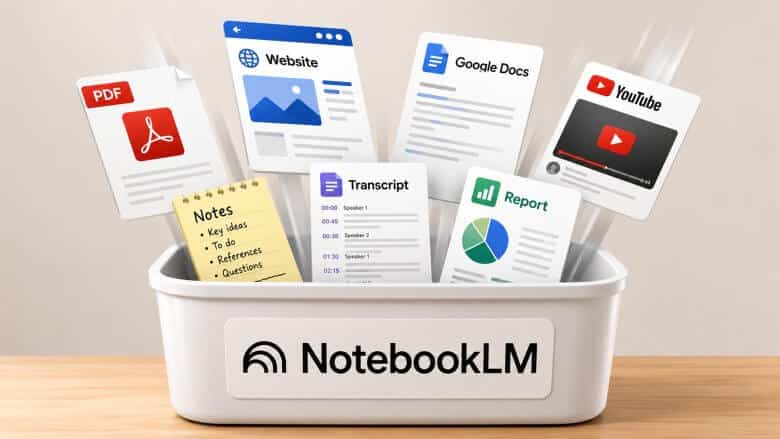
That source material might include PDFs, websites, Google Docs, copied text, notes, reports, audio files, YouTube videos, or transcripts. Then NotebookLM uses those sources as the knowledge base for that specific notebook.
So instead of asking a general AI assistant to help you think through a topic, you are giving NotebookLM a focused pile of information and saying:
Help me understand this.
That is the key difference.
ChatGPT is a very good general-purpose AI assistant.
NotebookLM is more like a rapid research assistant that helps you speed-read through the material you provide.
Why I started using NotebookLM
When I create a video like this, I usually do a decent amount of research up front.
I want to make sure I’m giving accurate, useful, up-to-date information. But I also want to understand what other people are already saying about the topic — or sometimes, what they are not saying.
That research takes time.
If you are looking through 10 or 15 sources, and each one takes 10 or 15 minutes to review properly, you can burn several hours before you even start shaping the actual content.
And it is not just the time.
It is the mental bandwidth.
You are reading, comparing, taking notes, trying to remember which source said what, looking for repeated themes, and trying to separate useful insights from filler.
That is where NotebookLM started to make sense for me.
I wanted to see if there was an AI tool that could help me process a large amount of information faster than doing everything manually.
And honestly, I was pleasantly surprised.
I could give NotebookLM a collection of sources around one topic, ask questions about just that material, and get useful summaries, comparisons, and takeaways from the information I was researching.
As much as I use ChatGPT every day, processing a large pile of source material all at once is not where ChatGPT shines the most.
That is where NotebookLM has an edge.
Who NotebookLM is best for
NotebookLM is especially useful if you regularly collect information before making decisions or creating something.
That might include business owners researching competitors, content creators planning videos or articles, professionals reviewing reports, homeowners organizing manuals and repair notes, or anyone planning a trip, project, or major purchase.
The common thread is simple:
You have a bunch of information around one topic, and you want help understanding it faster.
If you mostly need help writing emails, brainstorming ideas, editing copy, solving everyday problems, or talking through a decision, ChatGPT is probably still the better place to start.
But if your real problem is, “I have all this material and I don’t want to manually dig through it,” that’s where NotebookLM starts to make a lot of sense.
Why NotebookLM works better for source-based research
NotebookLM is built around source material.
You create a notebook, which is basically a workspace for one topic or project. Then you load that notebook with the material you want NotebookLM to focus on.
After that, you ask questions about only that body of information.
That matters because it keeps the AI grounded in the material you provided instead of giving you a broad, general answer from the internet or from its training.
The capacity is also pretty significant. According to Google’s NotebookLM help documentation, the standard version currently allows up to 50 sources per notebook, with each source containing up to 500,000 words.
So we are not talking about a tiny folder with a few notes.
One NotebookLM notebook can hold the equivalent of a small private library.
Articles.
PDFs.
Transcripts.
Notes.
Web pages.
YouTube videos.
All gathered in one focused workspace.
NotebookLM gives you receipts
The other big advantage is that NotebookLM gives you citations.
And that is a big deal.
AI tools can still make mistakes. They can misunderstand something, summarize something poorly, or confidently give you an answer that needs to be checked.
But when NotebookLM answers a question, it can show citations that point back to the specific source material it used.
So if NotebookLM gives you a useful point, you can click the citation and check where that information came from.
That does not mean you should blindly trust every answer.
But it does make the research process much easier because you are not just getting a summary floating in midair. You can trace the answer back to the source.
For research-heavy work, that is huge.
What about privacy?
Google says that content in NotebookLM is not used to directly train its foundational AI models unless you choose to provide feedback.
That is reassuring, but I would still use common sense.
I would not upload highly personal, confidential, medical, legal, or financial material unless I was completely comfortable doing so.
That is just good basic AI hygiene.
For more on that, see Never Type This Into ChatGPT — You’ll Thank Me Later.
Even when a tool has solid privacy protections, you still want to be careful about what you upload.
How NotebookLM works
The basic workflow is simple.
You go to NotebookLM, create a new notebook, and think of that notebook as a workspace for one topic or project.
Then you add sources.
Those sources might be uploaded files, web links, YouTube links, Google Docs, copied text, or other material related to that project.
Once your sources are added, NotebookLM starts building the knowledge base for that notebook.
The screen is generally organized around three main areas:
On the left, you have your sources.
In the middle, you have the chat area where you ask questions.
On the right, you have the Studio area, where NotebookLM can create different outputs from the material.
For my workflow, most of the value is simple:
Sources on the left.
Questions in the middle.
Useful notes saved as I go.
That’s it.
You add the material, ask questions about it, check the citations, save the useful stuff, and move on.
A simple example
Let’s say you are researching how to get a thicker, greener lawn.
You could add several sources to one notebook: articles, lawn care guides, YouTube videos, product pages, and notes from local experts.
Then you could ask NotebookLM:
What are the main themes across these sources?
What advice keeps repeating?
Where do these sources disagree?
What are the strongest practical recommendations?
What should a beginner do first?
Instead of manually reading through everything from scratch, NotebookLM helps you quickly see the patterns.
And when it gives you an answer, you can use the citations to jump back to the original source and verify the point.
That is the part I like.
It does not just summarize. It helps you find your way back to the original material.
Practical ways to use NotebookLM
Once you understand what NotebookLM is good at, you start seeing possible uses for it all over the place.
The question to ask is:
Where do I have a bunch of information around one topic that would be useful if I could actually make sense of it?
That could apply to personal projects, home projects, business research, training, content planning, and more.
Home maintenance
You could create a home maintenance notebook.
Add appliance manuals, warranty information, troubleshooting guides, repair notes, and links to replacement parts.
You do not necessarily have to scan every manual by hand. For many appliances, you can find the PDF manual online by searching the model number.
Then the next time your dishwasher flashes some weird error code, you can ask NotebookLM what the manual says, what to check first, or what part might be involved.
That is a very practical use case.
Not glamorous.
But useful.
And frankly, useful beats glamorous most days of the week.
Trip planning
NotebookLM could also help with trip planning.
You could create one notebook for a vacation, conference, or family trip.
Add hotel pages, travel articles, restaurant lists, attraction pages, schedules, maps, and your own notes.
Then ask NotebookLM to compare options, summarize the best ideas, or help you build a simple plan from everything you collected.
Instead of having 37 browser tabs open and pretending that’s “organized,” you can put the material in one place and ask better questions.
Competitor research
For business owners, NotebookLM can be useful for competitor research.
You could add public-facing materials from your top competitors: homepages, service pages, pricing pages, FAQs, blog posts, or other content.
Then ask questions like:
What offers are they making?
What language keeps showing up?
What services are they emphasizing?
What objections are they addressing?
What gaps might be worth paying attention to?
That is much more useful than vaguely browsing competitor websites and hoping something jumps out at you.
NotebookLM can help you spot patterns faster.
Employee onboarding
Another business use case is employee onboarding.
You could add your employee handbook, benefits guide, basic procedures, training notes, onboarding checklist, and internal documentation.
Then ask NotebookLM to help create a better first-week checklist, a simple FAQ, or a cleaner training outline for new hires.
This is where source-based AI becomes very practical.
You are not asking it to magically invent your company’s process.
You are giving it your actual process and asking it to help organize, clarify, and improve it.
Content planning
NotebookLM can also help with content planning.
You could add past blog posts, podcast transcripts, customer questions, reviews, brand guidelines, sales material, or notes from client conversations.
Then ask NotebookLM to find repeated themes, common questions, useful angles, or topics you have not covered yet.
That is very different from asking AI to “give me 20 content ideas” with no context.
When NotebookLM has your actual source material, the suggestions are more grounded.
It can help you see what is already sitting inside your business.
And in many cases, that is where the best content ideas come from.
How NotebookLM fits with ChatGPT
For me, the workflow is simple.
NotebookLM helps me process and digest large amounts of source material.
Then ChatGPT helps me do something useful with that information.
If you’re still getting comfortable with ChatGPT itself, you may also want to read ChatGPT For Beginners: Start Here.
If I am researching an upcoming video, I might use NotebookLM to summarize the material, compare sources, find repeated themes, and point out anything interesting.
But I do not use NotebookLM for the full creative process.
I use it for research and analysis.
Then I go back to ChatGPT for outlining, writing, refining, brainstorming, and shaping the final piece.
I also compared two of the biggest general-purpose AI tools in Claude vs ChatGPT — Which One’s Actually Better?.
So the workflow is not:
Use NotebookLM instead of ChatGPT.
The workflow is:
Use NotebookLM to process and analyze large amounts of source material. Then use ChatGPT, Claude, Gemini, or whatever AI tool you prefer to turn that research into something useful.
Different tools. Different jobs.
Just like you would not use a hammer for everything in your garage, you do not need one AI tool for everything either.
Is NotebookLM free?
NotebookLM has a free version, and for many people, that may be all they need.
Google also offers paid upgrades with higher limits and additional features through Google AI plans, Google Cloud, or certain Google Workspace plans.
But if you are just getting started, I would not overcomplicate it.
Start with the free version.
Try it on one real project.
See if it helps.
If you eventually start doing a lot of research and outgrow the free plan, you can always look at upgrading later.
But I would cross that bridge when I got to it.
Should you use NotebookLM?
If you ever avoid research because it feels too time-consuming, too scattered, or too mentally draining, NotebookLM is worth trying.
It is one of those AI tools that feels a little magical the first time you use it.
You can dump in a large collection of documents, articles, videos, notes, transcripts, and other source material. Then within a few minutes, you can start asking questions and pulling useful information from that material.
That said, I would not use NotebookLM for everything.
And I am definitely not using it to replace ChatGPT.
ChatGPT is still my main AI tool.
But the one thing NotebookLM does really well — and the thing I think it does better than ChatGPT — is helping you analyze, summarize, and make sense of a large collection of source material.
If that sounds useful, give it a try.
Not because it is the shiny new AI tool of the week.
But because it might actually save you time, reduce mental clutter, and help you understand your own research faster.
FAQ
Is NotebookLM better than ChatGPT?
NotebookLM is not better than ChatGPT overall. It is better for one specific job: analyzing and summarizing source material you provide. ChatGPT is still better as a general-purpose AI assistant for writing, brainstorming, problem-solving, and creative work.
What is NotebookLM best used for?
NotebookLM is best used when you have a collection of information around one topic and want help understanding it. That could include research documents, PDFs, transcripts, web pages, notes, manuals, competitor content, training materials, or planning resources.
Does NotebookLM replace ChatGPT?
No. For most people, NotebookLM works best alongside ChatGPT. Use NotebookLM to process source material, then use ChatGPT to turn the research into a useful output such as an article, email, outline, plan, or script.
Can NotebookLM cite its sources?
Yes. One of NotebookLM’s biggest advantages is that it can show citations that point back to the source material used in its answers. That makes it easier to verify where the information came from.
Final thoughts
NotebookLM is not the AI tool I would use for everything.
But for source-based research, it is genuinely useful.
If you have a pile of information and you need to understand it faster, NotebookLM can help you summarize it, compare it, question it, and trace answers back to the original sources.
That is the real value.
Not replacing your main AI tool.
Not chasing every shiny new app.
Just using the right tool for the right job.
And for making sense of a mountain of source material, NotebookLM has earned a spot in my toolkit.

